
Interactive Donor Walls: The Next Generation of Donor Recognition
Interactive donor walls have moved past the novelty stage. Touchscreen recognition displays are now routine in hospital atriums, university welcome centers, and museum lobbies. The question facing most organizations is no longer whether the technology works. It is whether the installation will still function, and still command attention, three years after you cut the ribbon.
That is the gap this article addresses. DonorSigns has written separately about whether an interactive digital donor wall is right for your organization and about how physical, digital, and hybrid donor walls compare. If you are still choosing a format, those are the better starting points. This guide assumes you made the decision and asks a harder question: what does the next generation of donor recognition actually require to succeed once you install it?
The answers have less to do with hardware than most vendors suggest. They involve physical accessibility standards that many installations quietly fail. This search experience determines whether donors can find their own names, connect to your donor database, and see a governance plan that names who updates the content after the project team disbands.
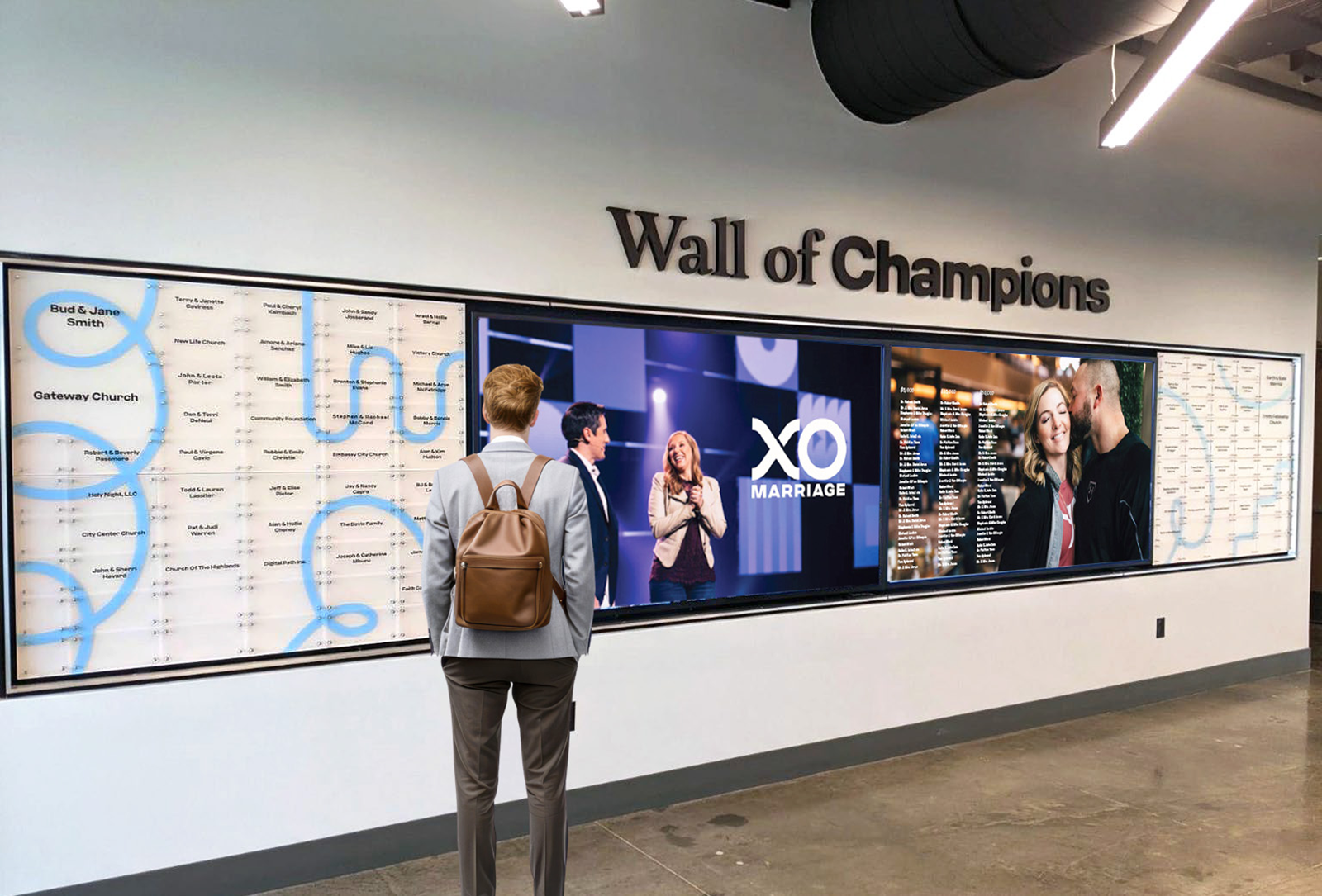
What Genuinely Changed
A traditional donor wall displays a fixed set of names you chose at a specific moment. Its capacity is finite; you settle its content at fabrication, and adding a donor requires physical work.
An interactive wall changes three things that matter:
Unlimited Capacity: Recognizing 4,000 annual donors alongside 40 leadership donors stops being a spatial problem.
Queryable Content: Visitors can search rather than scan.
Depth: You can attach a story, a photograph, or an outcome to a name instead of only a tier.
Each of those gains introduces an obligation. Unlimited capacity means someone must maintain the list. Queryable content means the search must work for real names. Depth means somebody has to write and refresh the stories. The technology converts a fabrication problem into an operations problem, and organizations that plan only for the fabrication are the ones whose screens go dark.
The Failure Mode Nobody Budgets For
Interactive recognition rarely fails because a screen breaks. It fails because the content stops changing.
The sequence is predictable—the display launches with fresh stories and a current donor list. The development officer who owned the content moves roles. Nobody inherits the login. Eighteen months later, the wall still displays last campaign's totals, and a donor who searches for a recent gift finds nothing. At that point, the display is worse than a plaque because it visibly advertises neglect.
Prevention is unglamorous and cheap. Name a content owner before launch, agree on an update cadence, document the process, and treat both as project deliverables rather than assumptions. When weighing what donor recognition wall maintenance actually costs, remember that ongoing ownership is the single strongest predictor of whether an interactive wall still looks alive in year three.
Reach: The Accessibility Requirement Most Installations Miss
This is the most consequential technical point in this article, and the one digital signage vendors discuss the least. A touchscreen is not a picture. The moment a display becomes interactive, the parts a visitor touches become operable parts, and regulations govern operable parts.
Under the ADA Standards, operable parts must fall within the reach ranges outlined in Section 308. For an unobstructed forward or side approach, that range is 15 inches minimum to 48 inches maximum above the floor. The maximum forward reach drops to 44 inches where the reach extends over an obstruction deeper than 20 inches, and for a side reach, it drops to 46 inches where the reach over an obstruction is deeper than 10 inches. Users must also be able to operate parts with one hand, without tight grasping, pinching, or twisting of the wrist, and the action must require no more than 5 pounds of force.
Now picture the installation these standards collide with. A large portrait-orientation touchscreen mounted so its center sits at standing eye level looks striking in a rendering. It also puts most of its interactive surface well above 48 inches, which means a wheelchair user, a person of short stature, or a child cannot operate it.
One useful nuance exists in the standard: reach ranges apply to the operable portions of an element, and you can place non-operable portions outside the range. A tall display is therefore not automatically non-compliant. What matters is that you place every interactive control, and every function a visitor needs, within the compliant band. Upper areas can carry display-only content.
Keep all touch targets and interactive controls within 15 to 48 inches above the floor.
Provide clear floor space for approach, and account for reduced maximum reach over any obstruction such as a plinth, ledge, or millwork base.
Reserve the area above the reach band for non-operable display content only.
Confirm activation force and one-handed operation, particularly for physical buttons or enclosures.
Consider a duplicate interface at a lower height, or a companion web version, where you design the display to be monumental.
The US Access Board has an active rulemaking effort on self-service transaction machines and electronic kiosks, drawing on the existing ATM and fare machine requirements and on the Section 508 standards for information and communication technology. Organizations specifying interactive displays now should expect regulators to make this area more explicit, not less.
Accessibility Beyond Reach
Physical reach is necessary but not sufficient. An interactive donor wall is also software, and you should design the content to meet the same expectations as any other digital interface.
Contrast and type size: Visitors read screens standing, often at an angle, and in daylight. Design for worse conditions than a desk monitor.
No reliance on gesture alone: Pinch and swipe exclude users with limited dexterity. Ensure every action has a simple tap equivalent.
Captions for any video: Recognition displays frequently sit in loud atriums, so captions serve everyone, not only users who need them.
Generous or absent timeouts: Aggressive reset timers punish anyone reading slowly and interrupt users mid-search.
Keyboard and screen reader considerations: If you publish the same content on the web, it should meet recognized accessibility guidance.
Designing to these standards is not only a compliance exercise. Donor communities skew older than the general population, and an interface you build for comfortable reading and forgiving interaction serves the actual audience better.
The Find-My-Name Problem
Ask what visitors do at an interactive donor wall, and the honest answer is that most of them look for one specific name: their own, or a family member's. Everything else is secondary.
Search therefore carries more weight than any other feature, and it is where implementations most often disappoint. Real donor names are messier than test data. They contain accents, hyphens, apostrophes, and suffixes. They arrive as trusts, foundations, businesses, and estates. A donor may know herself as Kate while the database holds Katherine. A married donor may search a maiden name. Couples appear as a single joined record.
Program the system to match on partial input and forgive diacritics, punctuation, and case.
Search across the whole record, not only the first character of a surname.
Handle organizational and family names, which do not follow personal-name sort rules.
Show the tier or panel a name appears on, so your physical wall and digital index agree.
Test the system with your real export before launch, not with sample data.
A wall that cannot find a donor in two attempts produces the opposite of the intended emotion. Search quality is recognition quality.
Your Donor Database Is the Real Source of Truth
An interactive wall displays whatever your records contain, which means it inherits every inconsistency in them and then publishes it at architectural scale.
Recognition names are not the same as legal or billing names, and most donor databases do not distinguish the two by default. A gift record may say ROBERT J. HALLORAN when the donor expects Bob and Susan Halloran. You must handle deceased donors carefully. Some supporters want you to credit a business instead of themselves.
The practical answer is a dedicated recognition-name field, which you populate deliberately and confirm with the donor, plus an approval step before you publish names publicly. You can fix a misspelled name on a screen more easily than one you etch in glass, but it remains a stewardship failure at the exact moment you try to make someone feel valued.
Maintain a recognition name separate from legal and billing names.
Confirm spelling, honorifics, and joint naming with the donor in writing.
Define how you represent deceased donors, anonymous gifts, and organizational credits.
Require review and approval of any batch before you publish it.
Privacy Deserves More Attention Than It Gets
A searchable display raises questions a fixed panel does not, and teams frequently overlook this distinction. A name you carve on a wall is public but effectively inert. Anyone who walks up can query a name in a searchable index. If the interface exposes gift levels, a visitor can learn what an identifiable neighbor, colleague, or patient gave.
That may be entirely acceptable, and often it is exactly what a giving-circle structure intends. The point is that you must make this a deliberate decision rather than accepting a default produced by whatever the software does out of the box. Knowing how to acknowledge anonymous donors properly protects these relationships.
Decide whether the interface reveals gift amounts, tier bands only, or names without levels.
Confirm that the consent you obtained years ago covers a searchable digital display, not only print and plaques.
Give donors a practical route to change or withdraw how they appear. This is why you need a donor privacy policy ready before launch.
Structure data so the system counts anonymous gifts in totals without making them identifiable through filtering.
Anonymous and privacy-conscious donors are not edge cases; they are a standing feature of every donor base. Your recognition policy should state what happens for them before the display goes live.
Governance: Who Owns This After Handover
Organizations typically specify interactive recognition projects carefully but hand them over vaguely. This table outlines the shortest version of what you should agree to in writing before launch.
| Responsibility | Typical Owner | Cadence |
|---|---|---|
| Adding and correcting donor names | Development operations | Monthly, or after each campaign milestone |
| Approving recognition names before publication | Major gifts officer | Every batch |
| Writing and refreshing impact stories | Communications | Quarterly |
| Software updates and security patching | IT | Per vendor schedule |
| Hardware condition, screen cleaning, and calibration | Facilities | Monthly walk-by check |
| Reviewing interaction data | Development leadership | Twice yearly |
| Confirming accessibility after any content redesign | Project owner | At each significant change |
Assigning these roles costs nothing at the planning stage, but you will find it nearly impossible to arrange retroactively once the people who commissioned the display move on.
The Feedback Loop You Now Have
A static wall tells you nothing about how visitors use it. An interactive one can, and this is the most underused advantage of the format.
Interaction data shows which stories visitors open, how long they stay, how often they use search, and which searches return nothing. Failed searches provide especially valuable data since they usually indicate either a missing donor record or a name-matching weakness. Dwell time on specific stories tells your communications team which narratives hold attention, giving you insights useful well beyond the wall itself.
During specification, agree on what the system will record and who will review it. Collect only what you will act on, keep it aggregate, and treat it as program feedback rather than visitor surveillance.
Why Hybrid Usually Wins
Framing this as a choice between permanence and flexibility misreads how recognition works. The research on public recognition points to prestige and visibility as the active ingredients. A screen you share with rotating content confers less permanence on a leadership gift than a fabricated element does.
In practice, the most effective configuration is usually both: you provide durable physical recognition for named spaces and leadership tiers, paired with digital donor wall solutions carrying the deep donor list, searchability, and storytelling. The physical work signals permanence, and the digital work handles volume and change.
How DonorSigns Approaches Interactive Recognition
We are donor recognition specialists rather than a digital signage reseller, which shapes how we approach these projects. Our process begins with your mission, your donors, and how your recognition program needs to grow. We then move to design that integrates with your architecture and brand, and finally to fabrication and installation, which we manage ourselves.
For interactive projects, that means treating content ownership, name governance, search behavior, and reach compliance as vital design questions rather than IT afterthoughts. It also means speaking straightforwardly when a hybrid or wholly physical approach would serve you better than a screen—which happens more often than the technology's marketing suggests.
If you are planning an interactive donor wall for a campaign milestone or a building opening, the decisions that determine whether it still works in year three are the ones you make right now.
Book a discovery call today to start the conversation.
Frequently Asked Questions
1. Do interactive donor walls have to meet ADA requirements?
Yes. The ADA Standards classify interactive elements as operable parts, so you must place them within the reach ranges in Section 308—generally 15 to 48 inches above the floor for an unobstructed approach. You must also ensure visitors can operate them with one hand, without tight grasping or twisting, and with no more than 5 pounds of force.
2. Can a tall touchscreen donor wall still be compliant?
Yes, if you design it correctly. Reach range requirements apply only to the operable portions of an element so that you may locate non-operable portions outside the range. You must place every interactive control and every function a visitor needs within the compliant band, while utilizing upper areas for display-only content.
3. Why do interactive donor walls stop being used?
They almost always fail because organizations never assign content ownership. The display launches, the person maintaining it changes roles, and nobody inherits responsibility. The screen then shows outdated information and visibly advertises neglect, which is worse than a plaque that you never expect to change.
4. What should we plan before installing an interactive donor wall?
Name a content owner, agree on an update cadence, define recognition naming conventions and an approval step, settle your privacy and anonymity policy, test search against a real donor export, and confirm that you place touch targets within accessible reach ranges. You will find all of these cheaper to arrange before launch.
5. How should donor search work on an interactive display?
It should match partial input; forgive accents, punctuation, and capitalization; search the whole record rather than only surname initials; and handle organizational, family, and estate names. Test it with your actual data, because real donor names contain far more variation than sample data.